 Buy
Buy Rent
Rent Sell
Sell New
New Prices



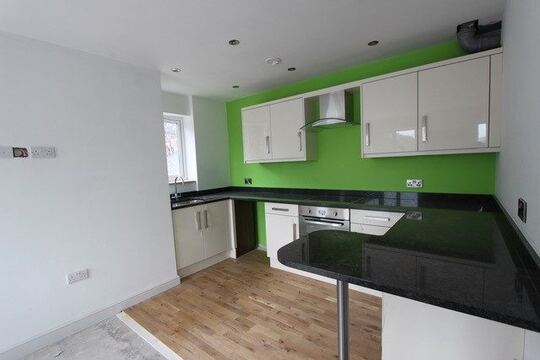
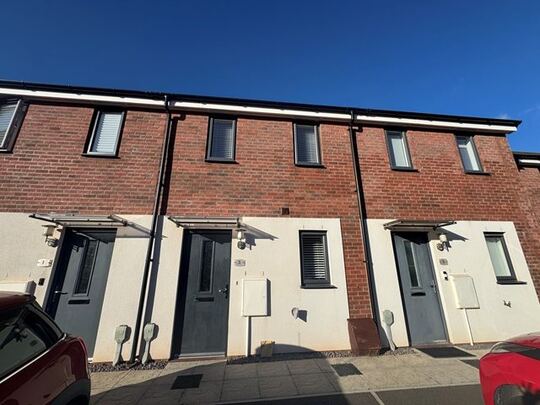

Every property has a file. Read it before you knock.
Type any UK address and Property Viewer assembles the pre-inspection dossier in seconds — EPC and renovation costs, flood, radon and mining verdicts, invasive plants, tenure, sale history and an AI-estimated value. Quote with confidence. Arrive already briefed.
The recon pass
Type the address. Watch the picture assemble.
One search resolves the address to a single property record, then the facts cascade in — characteristics, energy, risks, value, history. This is what those first sixty seconds look like.
Why pre-survey
The sixty seconds that save the job.
Most surveyors learn about the knotweed at the front gate, the radon zone after the inspection, or the leasehold complication after the report goes out. A pre-inspection lookup flips that round — this is how the recon pass fits your working day.
The enquiry lands — look it up before you price it
A buyer emails asking for a Level 2 on a 1960s detached. Before you reply, you type the address into Property Viewer. Floor area, property type, construction age band and EPC rating come straight off the property record — so if the house is 118 m² rather than the 90 m² the portal listing claimed, you know before the fee is set, not after. Under-pricing a survey because the listing was wrong is the most common quoting mistake this tool kills.
Read the risks — decide what needs disclosing up front
The Risks tab runs ten environmental checks and seven invasive-plant species, each with a severity verdict from a 10-step scale and a distance — including a clear callout when a hazard intersects the property boundary. A radon "High" or a knotweed hit within 50 m changes the conversation you have with the client before booking, and gives you the basis for a specialist-referral caveat in the quote itself. When the client needs a packaged version of this picture, the Environmental Report turns it into a client-facing PDF.
Sanity-check the value — history plus an AI estimate
The Value tab holds every Land Registry transaction we have for the property, a sales timeline, any rental history and an AI-estimated current value with a confidence indicator — modelled on the property's own characteristics, not a postcode average. It is a quoting aid, not a Red Book opinion; when you need a defensible comparable-based range, the Comparable Tool picks up where this leaves off.
Quote, book — and the data follows you into the report
The lookup isn't throwaway research. When you create the Level 2 or Level 3 report for the same property, the Property Data Drawer opens inside the editor carrying the same EPC, risk and history data — and in Otto auto-mode, Section C writes itself from the property record. One lookup at the quoting stage; no re-typing at the writing stage.
The pre-flight
Briefed the night before. Confident at the door.
The difference between walking a property cold and walking it briefed is one lookup the evening before.

1 · The night before
Run the dossier
Two minutes at the desk: the five tabs read in order, the radon verdict noted, the sale history skimmed. Tomorrow's property is no longer a stranger.

2 · On the street
One last skim from the kerb
Parked outside, coffee still warm. The dossier is cached, so re-opening it costs nothing — age band, extensions, the surface-water note. Kit checked to match.

3 · At the door
Arrive already briefed
"I see it last sold in 2018, and we're in a radon-affected area, so I'll be paying attention to that today." Nothing builds client confidence faster.
Inside the dashboard
One address in. A verdict on everything out.
The dashboard doesn't hand you raw data feeds — it resolves, calibrates and verdicts them so every finding is ready to quote from.
One record, five tabs
Any UK address, postcode or bare reference resolves to a single property record, and the five tabs hang off it: Property (24 characteristics, EPC, broadband), Value (history and AI estimate), Risks (10 hazards, 7 plant species, pollution, crime), Area (7 IMD domains, MapSentry narrative, comparables) and Map (12 amenity layers). The whole dossier exports to a print-formatted PDF, headed with the address and the date of your lookup.
Verdicts, not raw numbers
Every hazard is calibrated against a 10-step severity scale from Not Detected through to Urgent, with a distance reading — or an explicit "intersects boundary" alert when the hazard sits on the property itself. "Not detected" entries are shown too, so you hold a documented audit of everything checked, not just what was found.
The five tabs
80+ data points, organised the way you work.
Work them left to right before every job: confirm the property, check the risks, validate the value, read the area, scan the map.
Property
The physical record: 24 characteristics per property — floor area, bedrooms (AI-predicted where unknown), bathrooms, habitable rooms, building height, footprint and land area, construction age band, floors, windows, extensions, wall and roof materials, garden and parking, plus Land Registry title class and estate interest. The EPC block adds current and potential rating with scores, the last certificate date, the recommended improvements list and an estimated renovation cost range with a per-improvement breakdown. Broadband coverage is checked at four tiers — standard, superfast, ultrafast and maximum predicted — with download and upload speeds.
Value
An AI-predicted current market value with a confidence indicator, modelled on the property's own characteristics rather than the postcode average. Beneath it: the full sale history — every Land Registry transaction we hold — a sale summary card, first-listing date and days-on-market, stale-listing detection and on/off-market status, plus sales and rental timelines visualised over time. Long-tenure holdings, flips and refurb cycles all show up at a glance.
Risks
Ten environmental checks — flood from rivers and sea, surface-water flooding, subsidence, radon, mining and historical excavation, landfill (with a property-on-landfill warning), traffic noise, train noise, conservation-area constraints and contaminated land — each with a 10-step severity verdict and a distance. Seven invasive-plant species are mapped with origin, Japanese knotweed and giant hogweed flagged as critical. Air pollution today shows as a live air-quality index, and crime pulls from data.police.uk over a 1.5-mile radius with single or multi-month requests.
Area
Index of Multiple Deprivation across all seven domains — income, employment, education, health, crime, barriers to housing and living environment — with sub-scores and the overall LSOA ranking. MapSentry AI writes a plain-English narrative of the area's combined risk picture, surfacing the most material findings first — particularly useful in postcodes where you have no local knowledge. Comparable sold properties within radius round it off, with a direct route into the Comparable Tool for a weighted valuation.
Map
Twelve toggleable amenity layers — schools, universities, restaurants, pubs, supermarkets, corner stores, hospitals, GP surgeries, pharmacies, parks and green spaces, bus stops and train stations — each plotted as colour-coded pins. The property footprint polygon and Land Registry title polygon (where available) are drawn on the map, alongside crime pins within the 1.5-mile radius.
Severity-coded
Every risk gets a clear verdict.
No raw indices to interpret. Every environmental and property risk is calibrated against a 10-step severity scale, so each finding carries a reportable verdict you can reference directly in Section H or Section I.
Critical risk at or very close to the property boundary — specialist investigation strongly recommended before proceeding.
Significant hazard severity in the immediate area — expected to be disclosed and commented on in the report body.
Hazard present at moderate severity or distance — disclosure recommended; unlikely to materially affect value in isolation.
No significant identified risk, or hazards at a distance unlikely to affect the property or its marketability.
Why one lookup
One screen vs nine open tabs.
Pulling the same picture by hand means juggling eight or nine separate websites, none of which leave you an audit record. Property Viewer collapses that into a single sub-60-second lookup.
| Data point | Property Viewer | Manual research |
|---|---|---|
| Environmental risks (flood, radon, mining, subsidence, landfill) | 10 categories, severity-coded | Multiple gov.uk / EA sites |
| Invasive plants — 7 species | Severity + distance, negatives shown | No single public source |
| EPC rating + renovation cost range | Current, potential, per-improvement | OpenData EPC register (separate site) |
| Land Registry title class + estate interest | Freehold / leasehold on the record | HMLR title register (separate request) |
| AI-predicted current market value | Confidence-rated, per property | Not available elsewhere |
| IMD prosperity across 7 domains | Sub-scores + LSOA ranking | MHCLG lookup (separate site) |
| Crime — 1.5-mile radius | Up to 12 months, categorised | data.police.uk (manual query) |
| Broadband coverage — 4 tiers | Download + upload Mbps | Ofcom checker (separate site) |
| 12 amenity layers on one map | Toggle each layer | Web maps (manual, no audit trail) |
| Flows into the report writer | Section C auto-pop + Data Drawer | Manual copy-paste |
| Timestamped evidence trail per lookup | Stored against your account | No audit record |
| Time for a full pre-survey check | Under 60 seconds | 30–90 minutes |
RICS report integration
Which data feeds which RICS section?
Every data point in the dossier has a natural home in a Level 2 or Level 3 report — and Otto auto-mode carries much of it across automatically.
| RICS section | Data from Property Viewer | How it arrives in the report |
|---|---|---|
| Section A Inspection details | Full postal address, property type, Land Registry tenure (freehold / leasehold) | Pre-populated in the report header when you create the report for the same property |
| Section C Accommodation | Floor area, habitable rooms, bedrooms, bathrooms, construction age band, EPC rating, construction material, windows type, extensions, roof material | Otto auto-mode synthesises Section C automatically from the property record — no manual entry required |
| Sections D–G Condition elements | EPC renovation cost estimates, broadband availability, environmental context for external elements and grounds | Referenced via the Property Data Drawer while writing — useful for D1 chimneys, D5 roofs, G2 boundaries adjacent to invasive-plant findings |
| Section H Legal issues | Land Registry title class and estate interest, conservation-area constraints, contaminated-land designation, landfill intersection | Available in the Property Data Drawer while writing; relevant findings inform the Section H pre-amble |
| Section I Risks | Flood (rivers, sea, surface water), subsidence, radon zone, mining history, landfill proximity, invasive plants, air pollution, crime summary | Severity verdicts translate directly into RICS risk-narrative language for Section I commentary |
Section H: leasehold red flags
When the lookup shows leasehold tenure alongside conservation-area or contaminated-land status, both surface as legal issues for Section H. The Land Registry estate interest is resolved from the property record and carried into the report header.
See the Level 2 report writerSection I: radon and invasive plants
Radon zone designation and invasive-plant findings from the Risks tab map directly onto Section I. The severity verdicts are already calibrated to the language expected in a RICS Home Survey Standard risk narrative.
See the Level 3 report writerSection C: Otto auto-mode
Otto's Section C auto-populator draws from the same property record Property Viewer reads. Run the lookup at quoting; when you create the report, Section C synthesises itself — floor area, rooms, tenure and construction pre-filled.
See Otto auto-modeWhat makes it different
Eight things a manual search cannot replicate.
Instant resolution from any UK address
Type a street address or postcode and the lookup resolves it to a single property record in seconds — any UK property from Cornwall to Orkney, including new-build plots as soon as the address is registered.
A 10-step severity scale, not a pass/fail
Most environmental checkers return a binary "detected". Every risk here is calibrated from Not Detected through Low, Moderate, Medium, High, Very High, Extreme to Urgent — a radon "High" means something different from a radon "Low-Medium", and the dashboard makes the difference plain before you quote.
All seven invasive species — including the negatives
Japanese knotweed and giant hogweed are flagged as critical with extra warning treatment, but all seven species are listed including "Not detected" entries. You get a documented audit of every species checked, not just a list of positives.
The data travels into the report
Open the Level 2 or Level 3 report for the same property and the Property Data Drawer loads the same dashboard automatically. In Otto auto-mode, Section C pre-fills itself from the property record — look it up once and it follows you into the report.
Cached lookups — re-opens cost nothing
The first lookup on a property is the most expensive; the result is cached for an hour, so re-opening the dossier from the kerb before you knock costs nothing. Lookups are paid in tokens from your firm's balance, bundled with every paid tier.
Named public sources behind every field
EPC from the OpenData EPC register, sold prices and tenure from HM Land Registry, flood from the Environment Agency, radon from UKHSA, crime from data.police.uk, deprivation from the official IMD, air quality from live UK monitoring — one screen instead of a browser full of tabs.
An AI area narrative for unfamiliar postcodes
MapSentry AI reads the combined risk picture — flood, subsidence, radon, crime, pollution, deprivation — and writes a plain-English pre-survey brief with the most material findings first. Local knowledge, synthesised, for areas where you have none.
A PDF dossier and a timestamped record
Every dossier exports to a print-formatted pre-inspection report headed with the address and lookup date, and every lookup is stored against your account — a dated record of what the public data showed before you set foot on site.
Who uses it
Built for every survey workflow.
Property Viewer earns its place at the quoting stage, the pre-inspection stage, and anywhere a surveyor needs to sanity-check a property before committing pen to paper.
Level 2 surveyors
EPC rating, flood zone, radon and conservation status before the fee is written. Floor area and property type off the record, not the listing — no more under-quoting because the portal was wrong.
Level 3 surveyors
Pre-flight complex or older properties with the full environmental picture. Historical excavation, mining, contaminated land and subsidence surface in seconds — before you set foot on site.
Snagging surveyors
The building is new; the area data isn't. Flood, radon, invasive plants, pollution, crime and all 12 amenity layers are fully populated from the day the address registers.
Multi-surveyor firms
Standardise the pre-survey research process across the team: every surveyor runs the same lookup before calling the client — consistent quoting, consistent risk awareness.
Surveyors in unfamiliar postcodes
No local knowledge needed. Radon zones, mining history, conservation constraints, IMD scores and the MapSentry AI narrative surface automatically for any address in the UK.
Report writers
The same data feeds the Property Data Drawer in the report editor and the Section C auto-populator in Otto. Look it up once; it travels into the report.
APC candidates
An evidence trail for the RICS Assessment of Professional Competence
The APC asks for evidence that your survey work is grounded in systematic pre-inspection research. Running Property Viewer before every job creates a timestamped record of each pre-survey check — flood, radon, invasive plants, conservation status and EPC — stored against your Home.co.uk surveyor account. When compiling your competency submission, that lookup history is auditable evidence that environmental risks were researched systematically across your case studies, not assessed ad hoc.

Professional indemnity
Every lookup is a dated record.
If a risk finding is questioned months later, the question is always the same: what did the data show at the time? Property Viewer answers it for you.
Timestamped evidence trail
Every search logs the date, time and property address against your account. If a client later questions why a risk was or wasn't flagged, you hold a timestamped record of exactly what the public data showed at the point of your pre-survey lookup.
Captured at the moment of lookup
Risk verdicts — flood zone, radon designation, mining history, invasive plants — reflect what the sources showed when you searched. If the datasets are updated after your inspection, your pre-survey record preserves what was visible when you scoped the job and set the fee.
Part of a complete audit trail
Pair the lookup record with timestamped dictation during the inspection and the report itself for a full paper trail: pre-survey research, contemporaneous observations, and the signed RICS PDF — all tied to the same property and your surveyor account.
Part of the toolkit
The research end of the report workflow.
Property Viewer sits at the start of every job. The tools below consume its data, package it for clients, or pick up where the lookup leaves off.
Property Data Drawer
The compact in-editor version of the same data: EPC, risks, listing history and comparables in a side panel inside every Level 2 and Level 3 report — reference any field while you write.
Environmental Report
When the client needs the risk picture as a document: a one-click environmental report — flood, ground stability, environmental factors and planning constraints — delivered as a branded PDF alongside your survey.
Comparable Tool
The AI estimate is the sanity-check; the Comparable Tool is the evidence. Select and weight individual Land Registry sold comparables into a defensible valuation range for the report.
Otto — AI report writer
Otto's Section C auto-populator reads the same property record Property Viewer surfaces — accommodation, tenure and construction details synthesised into the report with no re-typing.
Inigo — AI assistant
Ask questions about the property in plain English — valuations, sales history and market data — grounded in the same platform data, in chat or by voice.
Level 2 Report Writer
The report the research feeds: full RICS section coverage with the Property Data Drawer built in, so the dossier you read at quoting is beside you as you write.
Getting started
Your first lookup in under a minute.
Property Viewer is included with every verified Home.co.uk surveyor account. Three steps from sign-in to a fully scoped pre-survey check.
Look up the property
Type the address or postcode into the search bar. The full dashboard — Property, Value, Risks, Area and Map — loads in seconds for any UK address from England to Northern Ireland.
Get free access →Work the five tabs in order
Property to price the job, Risks to spot the disclosures, Value to sanity-check the range, Area for neighbourhood context, Map for the amenity picture. Under two minutes, every job.
Practise on the live example →Carry the data into the report
Create the Level 2 or Level 3 report for the same property and the Property Data Drawer loads automatically. In Otto auto-mode, Section C pre-fills itself from the record — no re-typing.
See Otto auto-mode →FAQ
Common questions about Property Viewer
Getting started & coverage
What is the Property Viewer?
A pre-survey intelligence dashboard for UK RICS surveyors. Search any UK address and we resolve it to a single property record, then surface 80+ data points across five tabs: Property (24 characteristics + EPC + broadband), Value (AI-predicted value, sale and rental history), Risks (environmental risks, invasive plants, air pollution, crime), Area (IMD prosperity by 7 domains, MapSentry AI, comparables) and Map (12 amenity layers). Everything you need to scope a job, write an accurate quote, or pre-flight a survey before you ever set foot on the property.
Can I scope a quote without visiting the property?
Yes — that is one of its primary uses. The five-tab dashboard surfaces floor area, property type, EPC rating, invasive-plant and flood-risk flags, and an AI-predicted value within 60 seconds of typing the address. Most surveyors use this to set the fee, choose the appropriate survey level, and brief the client on known environmental risks before booking the inspection. No site visit is needed for the pre-quote research stage.
What pre-survey research sequence should I follow?
Work through the five tabs in order before every inspection: (1) Property — confirm floor area, EPC rating and construction details to price the job correctly; (2) Risks — check environmental and invasive-plant findings to identify disclosures needed before the fee is set; (3) Value — validate the quoted range against Land Registry history and the AI-predicted value; (4) Area — review the seven IMD deprivation domains and the MapSentry AI narrative for neighbourhood context; (5) Map — assess amenity layers and any crime pins visible around the property. The sequence takes under two minutes and creates a timestamped pre-survey record against your account.
Do you cover the whole of the UK?
Yes — England, Scotland, Wales and Northern Ireland are all covered. Coverage of individual data layers varies by region (for example, EPC certificates exist only for properties that have had one issued); the dashboard clearly indicates when a layer has no data for the subject property.
Is there a token cost per lookup?
Lookups are paid in tokens from your firm's balance. Tokens are inexpensive and bundled with every paid subscription tier. The first lookup on any property is the most expensive (we cache the result for an hour), so re-opening the same property within the cache window costs nothing.
Can I export a Property Viewer dashboard?
Yes. Every property dossier has a Download PDF button that produces a print-formatted pre-inspection report: estimated value, sale and rental history, 24 property characteristics, EPC with improvement costs, broadband coverage, photos and comparable sales — headed with the address and the date of your lookup. The data also flows automatically into the Section C auto-populator inside the Level 2 and Level 3 report writer.
The data & where it comes from
What property characteristics are shown?
Twenty-four characteristics: full address, property type, bedrooms (with AI prediction where unknown), bathrooms, habitable rooms, EPC floor area, building height, geometry footprint area, land area in m² and acres, construction age band, number of floors, windows type, extensions, current EPC rating, construction material, roof material, has-garden flag plus garden details, has-parking flag plus parking details, Land Registry title class and estate interest (freehold / leasehold).
What value information is shown?
An AI-predicted current market value with a confidence indicator, the full sale history (every Land Registry transaction we hold for the property), a sale summary card, a sales timeline visualisation and a rental timeline visualisation. The AI prediction adjusts for property-specific characteristics rather than just averaging the postcode.
What does the Area tab cover?
Index of Multiple Deprivation across all seven domains (income, employment, education, health, crime, barriers to housing, living environment), MapSentry AI which produces a written narrative risk analysis of the area, comparable properties within radius, and air pollution today as a live air-quality index. The Map tab adds 12 amenity layers — schools, universities, restaurants, pubs, supermarkets, corner stores, hospitals, GPs, pharmacies, green spaces, bus stops and train stations.
What about crime data?
Crime data is pulled from data.police.uk over a 1.5-mile radius around the property. Single-month and multi-month requests are both supported, so you can pull a 12-month rolling crime picture for the area or focus on a specific recent month for a current-day brief.
Where does the data come from?
From the same property database that powers home.co.uk's public sold-prices, rental-prices and property-detail pages. EPC comes from the OpenData EPC register. Sold prices come from HM Land Registry Price Paid Data. Title and tenure come from Land Registry title data. Crime comes from data.police.uk. Deprivation comes from the official Index of Multiple Deprivation. Air pollution comes from real-time UK air-quality data.
What happens if a property has no EPC certificate?
If no EPC has been issued for the subject property, Property Viewer shows this clearly on the Property tab rather than leaving the field blank or showing a default rating. The surrounding environmental risks, Land Registry tenure, broadband coverage and AI-predicted value all remain available regardless of EPC status. Properties with no EPC are common in older housing stock — the dashboard flags the absence explicitly so you know to expect a missing energy rating before you arrive.
How accurate is the AI-predicted value, and can I rely on it for surveying purposes?
The AI-predicted current market value is a modelled estimate calibrated against the property's characteristics — floor area, type, age band, room counts, tenure, EPC rating and recent Land Registry transactions — rather than a simple postcode average. A confidence indicator reflects the volume and recency of comparable sales data available for that property type and location. It is designed as a pre-survey sanity-check and quoting aid, not a formal valuation or Red Book opinion of value. For a full comparable-based valuation range, use the dedicated Comparable Tool, which lets you select and weight individual comparable sales from Land Registry records.
Risks & environmental checks
Which environmental risks are checked?
Flood (rivers, sea and surface water), subsidence, radon, mining and historical excavation, landfill, traffic noise, train noise, conservation-area constraints and contaminated land. Each risk is shown with a verdict from the 10-step severity scale (Urgent, Extreme, Very High, High, Medium-High, Medium, Moderate, Low-Medium, Low, Not detected) and a distance — including a clear callout when the hazard intersects the property boundary or when the property sits on a landfill site.
Are invasive plants covered?
Yes. We map seven species: Japanese knotweed (origin Japan), giant hogweed (Caucasus), Himalayan balsam (Himalayan region), rhododendron ponticum (Spain / Portugal), floating pennywort (North America), New Zealand pygmyweed (New Zealand) and cotoneaster (China). Each is shown with severity and distance, and "Not detected" species are listed too so you hold a full audit of what was checked. Japanese knotweed and giant hogweed are flagged as critical risks with extra warning treatment.
Can I check whether a property is in a flood zone before a Level 2 or Level 3 survey?
Yes. Property Viewer checks flood risk from rivers and sea, surface-water flooding, and subsidence on the Risks tab — each with a severity verdict from the 10-step scale and a distance reading. The severity verdict tells you immediately whether to flag it prominently in Section I or note it as low concern. For properties showing High, Very High or Extreme flood risk, the dashboard also indicates whether the hazard intersects the property boundary — the critical distinction for Section I commentary and any referral to a specialist flood-risk assessor.
Can Property Viewer help with radon-zone reporting requirements?
Yes. Radon appears on the Risks tab with a severity verdict drawn from UKHSA radon potential data. For properties in radon-affected areas the finding supports the RICS recommendation to advise a radon test and specialist mitigation guidance where appropriate. The severity verdict, radon zone classification and distance are all available in the Property Data Drawer inside the report editor, ready to reference when writing Section I or a radon note in Section H.
Does Property Viewer flag conservation-area constraints for Section H?
Yes. Conservation-area status is one of the ten environmental risks checked. Where the property sits within a designated conservation area, Property Viewer shows the constraint with a severity verdict. This is directly relevant to Section H, as conservation-area designation restricts certain permitted-development rights, affects external alterations, and may trigger Tree Preservation Order implications. The finding is shown in the Risks tab and carried into the Property Data Drawer inside the report editor.
How does Property Viewer compare to a commercial environmental search report?
A commercial environmental search report is a legal document typically commissioned by the buyer's solicitor during conveyancing. Property Viewer is a pre-survey research tool for RICS surveyors — it draws from the same public datasets (Environment Agency flood maps, UKHSA radon data, British Geological Survey, data.police.uk) and surfaces the results instantly for quoting, pre-flight checks and report writing. It is not a substitute for a solicitor's search report, but it gives you the same environmental picture at the point you scope the job, weeks before legal searches are ordered. For many surveyors it replaces the habit of manually checking four or five separate government websites before every inspection.
Reports, quoting & professional practice
Can I use Property Viewer for new-build snagging surveys?
Yes. The building may be new, but the surrounding-area data is fully populated from day one: flood zones, radon, invasive plants, air pollution, crime, IMD prosperity and all 12 amenity layers apply regardless of build date. Lookup works as soon as the address is registered, so you can run a full area pre-flight before you arrive on site. Pairs well with the Snagging Report Builder.
How is this different from the Property Data Drawer?
The Property Viewer is a standalone dashboard you visit before you create a report — for quoting, pre-flight checks and prospect research. The Property Data Drawer is a compact panel version of the same data, embedded inside every Level 2 and Level 3 report editor so you can reference EPC, risks and comparables while you write. Use Property Viewer when you are scoping the job; use the Drawer when you are writing the report.
How does Property Viewer data flow into the report writer?
When you create a Level 2 or Level 3 report for the same property, the Property Data Drawer opens automatically inside the report editor with the same EPC details, environmental risks, listing history and broadband data ready to reference. In Otto auto-mode, the same dataset is used to synthesise Section C — accommodation details and tenure — automatically, with no re-typing required.
Which Section H legal issues does Property Viewer surface?
Section H legal issues in a RICS report typically include tenure complications, statutory obligations and third-party interests. Property Viewer surfaces three categories directly relevant to Section H: Land Registry estate interest (freehold or leasehold), conservation-area constraints (affecting permitted development and listed-building obligations), and contaminated-land designation. These appear on the Risks tab and are available in the Property Data Drawer inside the report editor.
Can I use Property Viewer to scope older or complex properties before quoting a Level 3 survey?
Yes — Property Viewer is particularly valuable for older and more complex properties where pre-survey unknowns are greatest. For a Victorian or Edwardian property, the construction age band, floor area, presence of extensions, roof and wall materials, and any mining or subsidence history all surface before you commit to a fee. For a large converted farmhouse or a property with a potential flying freehold, the Land Registry tenure data and conservation-area constraints give you the legal context before you pick up the phone. A two-minute check before quoting helps prevent under-pricing on complex jobs.
Can I use Property Viewer to research a shared ownership or Help to Buy property before quoting?
Yes. Property Viewer resolves any registered UK address, regardless of tenure type. For a shared ownership property the Land Registry estate interest will show leasehold — shared ownership schemes are almost always leasehold — and the AI-predicted value, EPC data, environmental risks and comparable sales all load as normal. Knowing the leasehold status, any conservation-area constraints and potential invasive-plant findings before quoting is particularly useful, as these findings may directly affect the advice you give in Section H on legal matters your client should refer to their solicitor.
How does Property Viewer support professional indemnity documentation?
Each lookup is timestamped and stored against your Home.co.uk surveyor account. This creates a dated record of the public data — flood zone, radon designation, invasive plants, conservation status — at the moment of your pre-survey check. If a risk finding is later questioned by a client or their solicitor, you can show clearly what the data showed before you set foot on site, separate from the report document itself.
More tools
Explore the rest of the surveyor toolkit

Home Academy
Short lessons on Home tools
Learn the steps, try the real tools and follow a first-week path to your first Otto report.

Otto
AI auto-mode RICS report writer
Dictate on-site, upload photos, get a finished, fully-routed Level 2 or Level 3 report in minutes.

Level 2 Report Writer
RICS Home Survey Level 2
Field-by-field RICS Level 2 reports with inline AI suggestions, image gallery, comparables and one-click branded PDF.

Level 3 Report Writer
RICS Building Survey Level 3
Comprehensive Level 3 Building Survey reports with deep technical sections, custom rating scales and AI legal-adviser notes.

Surveyor Comparable Tool
Sold + rental comps in one click
Auto-fetch sold and rental comparables within a 1-mile radius, weighted valuation range, branded PDF appendix for any survey.

Snagging Report Builder
New-build defect tracker
Build professional new-build snagging lists with location-based defect tracking, photos, urgency, status and PDF export.

Schedule of Condition
Room by room, photo by photo
A dated record of a property's condition, every elevation and every room, dictated on site with numbered photos referenced for you and a branded PDF. No ratings, no advice.

AI Dictation
Voice-to-fields routing
Speak observations on-site; AI routes every sentence to the correct RICS field with confidence scores and replayable audio.

Image AI
Auto-categorise survey photos
Upload up to 200 photos; vision AI tags each to the right RICS element, rates condition, extracts defects and picks the best 35 for the report.
Style Profile
Your firm's writing fingerprint
Teach the AI to write like your firm — upload past reports, the AI extracts a 25-dimension writing fingerprint and applies it to every future auto-mode report.

Property Data Drawer
EPC + risks + comps in one panel
Open the property data drawer in any report to see EPC, environmental risks, listing history and comparables — copy-paste ready.

Standard Phrases
Reusable language library
Personal, firm-wide and industry-preset phrase libraries — insert with one click and use to train AI routing for voice consistency.

RICS Standards Check
A Home Survey Standard check before you sign
One-click AI check against the RICS Home Survey Standard — flags missing content, weak ratings and structural gaps before you sign the report.

Quote Builder
Clear choices, a date to decide
Send branded survey quotes with up to three options, a PDF and an expiry date. Reuse service templates, track responses and see your win rate.

Home Payments
Paid faster, no invoicing
Home Payments mission control — customers pay at booking through a Stripe-verified checkout, payouts land on a schedule you can see, payment links cover your private work, and there is no invoice chasing ever again.

Bookings CRM
Every job, one pipeline
The surveyor CRM built into the platform — Homemove jobs land pre-paid with customer and property attached, enquiries convert to bookings, and the whole pipeline runs from one screen.

Panel work
Every panel job, every deadline
Run jobs from the other panels you work for beside your own. List each panel with its usual fee and turnaround, add a job in under a minute, and watch every report deadline count down.

Calendars & Requests
A diary that fills itself
Per-surveyor diaries with live availability — keep your dates current and we book real jobs straight in, with inbound availability requests answered in a tap.

The firm inbox that knows the job
A full mail client scoped to your firm — @home.uk purpose mailboxes and per-user addresses, with every thread landing against the booking it belongs to.

Documents & e-sign
Signed before you set foot on site
Terms of engagement sent with the booking, tracked from sent to signed, chased automatically and stored against the job — no more chasing clients to sign.

Insurance & conflict checks
Safe to take the job
Every new job is checked against your firm's own history, so you know when you have surveyed a property before. Your PI insurance is tracked with reminders, and new reports can't be issued once recorded cover has lapsed.

Telephony
The firm number that never misses a job
A phone system built into the platform — take calls in the browser, forward to mobiles, ring the whole team at once, and keep a shared call log with optional recording.

Customer portal
Your client, never in the dark
A white-label portal under your firm's branding and domain — booking status, reminders and secure report delivery, so customers stop asking where things are.

Website builder
Built by asking, not designing
A firm website built and edited by talking to Inigo — brand and theme sync, a real section library, custom domains via CNAME, and enquiries that land in your pipeline.

Campaigns
Win the next job from the last one
Firm email campaigns with per-recipient tracking — sends, opens, clicks and read time — built on consented lists with one-click unsubscribe handled for you.

Reviews & badges
Proof that wins the next booking
Reviews earned on real completed jobs — scored by the homemover, shown on your directory profile — plus embeddable trust badges that carry the proof to your own website.

Performance
See the pipeline, beat the clock
Firm analytics without the spreadsheets — pipeline conversion, team performance and your own turnaround speed, the fourth lever of your rate.

Inigo
The AI assistant for surveyors
Ask in chat, dictate by voice, or click any element for contextual help — grounded answers on valuations, sales history and market data, inside the platform.

AI Training
Teach it your standard
Upload past reports and press Train — the AI learns your firm's defect language, ratings philosophy and phrasing, and Otto writes with it on every job.

Environmental Report
Every risk, one report
A one-click environmental risk report for any property — flood, ground stability, environmental factors and planning constraints, delivered as a PDF.
Free directory listing. Pay-as-you-go toolkit.
Every RICS-regulated surveying firm gets a verified profile, direct bookings from home.co.uk consumers and the surveyor toolkit included with the account. No subscription. No pay-per-lead. No commission on the job. Pay only when you use the premium AI tools.
2 minute setup · Verified against the RICS register · Trusted UK property platform since 1995