 Buy
Buy Rent
Rent Sell
Sell New
New Prices



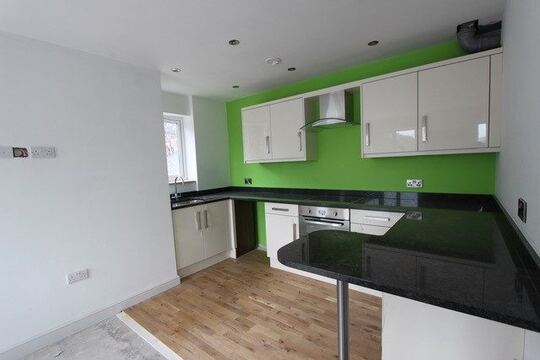
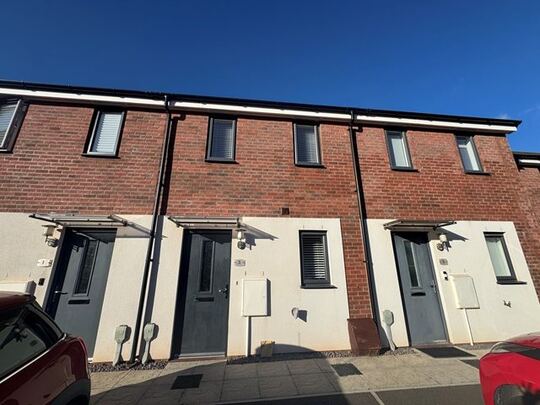
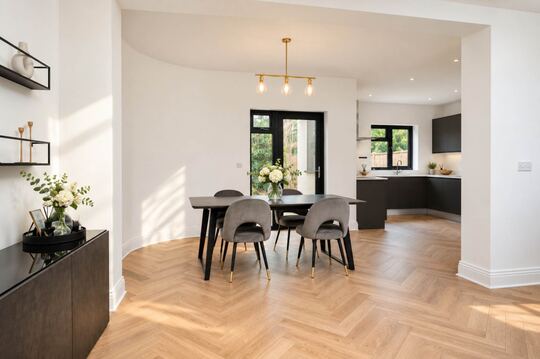
Meet Otto. Your AI RICS report writer.
Walk the property, dictate into your phone, snap photos as you go. Otto routes every sentence to the correct RICS field and hands you a finished, fully editable Level 2 or Level 3 report in 5 to 15 minutes.
How Otto works
Six steps from field walk to PDF.
Otto is not a single AI prompt. It's a multi-stage process of specialised tasks that run in parallel where possible — so you get a report in minutes, not hours.
Address & UPRN resolution
You enter the property address. Otto resolves it to a UPRN against Land Registry and our property database, and looks up the property record (bedrooms, age, walls, roof, heating, floors). A blank report is created with the right RICS section template (Level 2 or Level 3) and your firm's custom rating definitions are snapshotted so routing stays consistent if the firm later changes its rating scale.
AI dictation — audio to searchable transcript
You upload an audio file (MP3, WAV, M4A) — typically a single recording from your inspection — or paste a typed transcript. Speech recognition transcribes it and Otto caches the result so re-runs are instant. No need to dictate in a particular order or stop between sections. For a walk-through of the transcription step on its own, see the AI Dictation tool.
Sentence-level routing (our AI engine)
Otto's routing step reads each sentence with careful deliberation and decides which RICS field it belongs to: D2 Roof Coverings? F1 Consumer Unit? B.priorityItems? It also infers a condition rating (1=Good, 2=Maintenance, 3=Serious Defects, or your firm's custom scale) and assigns a 0–1 confidence score. Any phrases in your firm's Standard Phrases library are automatically available to the routing engine at this step, so Otto selects pre-approved wording wherever your library has a matching phrase. Live progress labels like "Reviewing electrical systems" stream from the AI's work so you watch the work happen, not a spinner.
Otto auto-mode
‘The slate roof is in fair condition with a few slipped slates at the rear, gutters are sagging on the left elevation.’
Image auto-categorisation (vision AI)
In parallel, Otto sends your photos to the vision AI for analysis. Each photo gets an element code (D1–D9, E1–E9, F1–F7, G1–G3), a condition rating, a professional caption, an extracted defect list with urgency and a survey-relevance flag (so accidental shots and furniture don't pollute the report). HEIC photos are auto-converted, orientation is detected and the algorithm scores all images then picks the best ~35 with guaranteed section coverage and a defect boost — so problem areas get more space than pristine ones. See the standalone Image AI tool for the full photo analysis feature.
Section B / C / H / I auto-population (parallel)
Once D-G is populated, Otto dispatches Section B (Overall Opinion + priority items), Section C (About the Property — synthesised from EPC, UPRN, environmental risks and image summaries), Section H (Issues for Legal Advisers, Level 3 only) and Section I (Energy / Sustainability) all in parallel. Each output is validated, confidence-scored, and merged carefully so any manual content you've already typed is preserved.
Editable web report & branded PDF
The output is an editable web report you can rewrite in-place, or a branded PDF with your firm's logo, table of contents and page numbers. AI rewrite, drag-and-drop image reassignment and a full undo/redo history are all available in the editor. The built-in RICS Standards Check reviews any text block against current RICS guidance and flags potential gaps before you sign off. Share the finished report with the consumer via a secure token-based link.
From the front gate to the finished report
Dictate. Drive home. Pop the kettle on.
Otto runs while you do. Three steps from inspection to a fully-routed RICS report, without sitting at a desk.
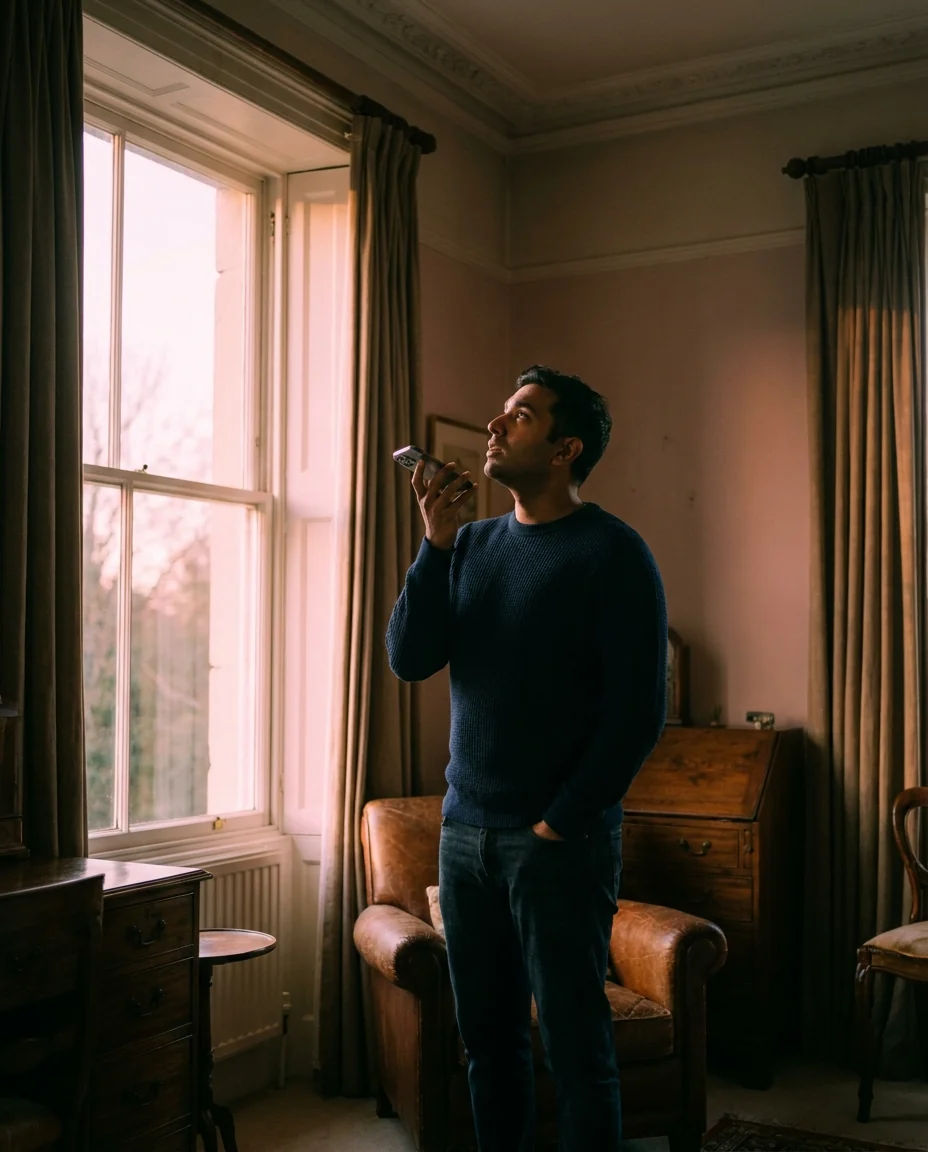
1 · On site
Dictate as you walk
Open the phone, hit record, talk through what you see. Snap photos as you go. No app, no sync, no clipboard.

2 · On the way home
Hit Generate from the drive
Otto starts the moment you upload. It transcribes, routes, categorises photos and synthesises Sections B and C in parallel.

3 · Back at the office
Open it with your tea
5 to 15 minutes for a Level 2, 15 to 30 for a Level 3. Editable web report waiting. One click to a branded PDF.
Trust by design
Every suggestion is explained.
You're the surveyor of record on every report. Otto shows the receipts: which photos, which dictation, which firm rules went into every wording it proposes.
Based on:
Used to generate this wording
Confidence trail per field
Every routed field shows what the AI used to make the call — the source photos, dictation timestamp, existing rating, firm style profile — and a 0–1 confidence score. Click into the trail to replay the audio at the moment the observation was dictated.
roof looks ok generally, couple slipped slates to rear, gutters sagging on left side, flashings weathered but seem intact.
The slate roof coverings are generally serviceable, although isolated slipped slates were noted to the rear elevation. Rainwater goods are sagging to the left elevation, and the chimney flashings appear weathered but intact. Routine maintenance is advised.
Your words, RICS-shaped
Otto only routes content you dictated, typed or photographed. It does not invent observations. The AI handles structure, classification and synthesis — turning your shorthand into RICS-ready narrative — while you remain the surveyor of record on every output.
Professional indemnity
Otto gives you a paper trail.
Every routing decision Otto makes is traceable. When a question arises about a finding months later, you have the receipts: the dictation timestamp, the source photos, the confidence score and the exact wording you approved before signing off.
Confidence trail per field
Every routed field records which dictation sentences and source photos it drew from, plus a 0–1 confidence score. Click the trail icon to replay the audio at the exact moment the observation was dictated — a contemporaneous evidence record rather than a reconstructed note.
Surveyor-of-record discipline
Otto routes and synthesises only content you dictated, typed or photographed — it does not invent observations. You edit and approve every field before signing. Nothing reaches the PDF without your explicit review, so the document you deliver is yours, not the AI's.
RICS Home Survey Standard alignment
The report structure, section headings and condition ratings follow the RICS Home Survey Standard for both Level 2 and Level 3. The RICS Standards Check built into the editor flags potential compliance gaps in any text block before you sign off — an extra check between Otto's draft and your professional sign-off.
RICS 2026 AI Professional Standard
The AI standard is mandatory. Otto ships it as standard.
The RICS 2026 AI Professional Standard has applied to every AI-assisted survey report since 9 March 2026. It requires three specific things — and all three are built into Otto's standard report workflow, in production since 25 June 2026. Not a setting you turn on; it's how Otto works.
 1
1
Named-surveyor sign-off gate
The standard says an AI-assisted report cannot be released to a client until a named, RICS-qualified surveyor has explicitly accepted the AI output — a generic "reviewed" checkbox is not sufficient.
In Otto: every AI-assisted report is blocked from release until the responsible surveyor signs off. Their name, RICS membership number and the timestamp of acceptance are recorded — permanently.
 2
2
Immutable audit trail
The standard requires a tamper-evident, field-by-field record of what the AI generated and what the surveyor changed. If the log can be edited after sign-off, it does not meet the standard.
In Otto: the audit log is insert-only and frozen at the point of sign-off. It cannot be amended afterwards — a defensible record in any future dispute.
 3
3
AI-disclosure statement in the client PDF
The client PDF must state what AI assistance was used, which sections it generated, who signed off and when — specific to the report, not a boilerplate disclaimer.
In Otto: the disclosure statement is generated directly from the frozen audit trail for that report, so the document and the record always agree.
A day in the life
Level 2 done before your next appointment.
How a residential surveyor completes a RICS Level 2 report in the same morning as the inspection.
Arrive and open the inspection
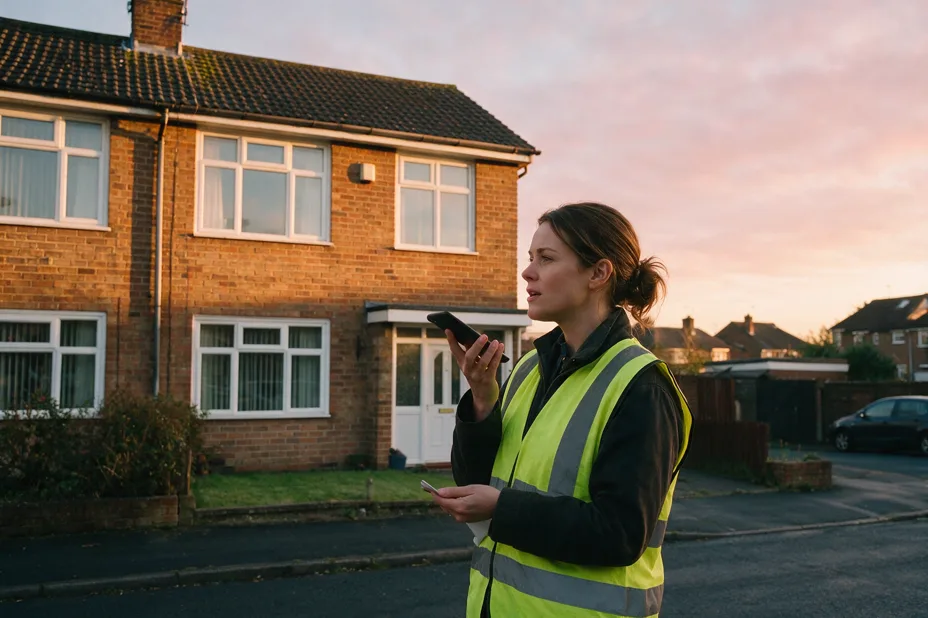
Sarah, a RICS Level 2 surveyor working across West Yorkshire, pulls up at a 1965 semi-detached. She opens the inspection on her phone. No clipboard, no laptop, a full day ahead.
Dictate the walk-through
Forty minutes of observations, loft space to rear garden, dictated as she walks — 180 photos snapped along the way. No annotation, no sorting.
Upload from the car. Tap Generate.
The audio file and all 180 photos, uploaded from the kerb. She starts the drive home; Otto starts work.
By the ring road
- Audio transcribed, every sentence routed to its RICS field with a confidence score
- 180 photos categorised to element codes (D1–G3), best 35 selected with defects prioritised
Back at the office
- Section C written from EPC, flood risk and subsidence data in the property record
- Section B (Overall Opinion and priority items) synthesised from D–G condition findings
from upload to editable web report
Sarah opens it with a coffee. The confidence sidebar shows 9% of fields below 0.8 — she reviews those, tweaks two sentences in F1 Consumer Unit, and moves the photo she wants front and centre on the roof section.
The PDF lands with the client before lunch
One click to a branded PDF. A same-day turnaround they weren't expecting — and Sarah is already on her way to the afternoon inspection.
Who uses Otto
Built for every RICS surveyor.
Whether you carry out one survey a week or thirty, Otto reduces the time between front gate and finished PDF.
Residential surveyors
Solo practitioners and regional firms carrying out Level 2 and Level 3 surveys. Otto's auto-mode turns a morning inspection into a finished, client-ready report by lunch.

Building surveyors
RICS Level 3 Building Survey specialists. Otto handles Section H (Legal-Adviser Issues) and extended condition notes automatically from your D–G findings.

Sole traders
Independent surveyors who can't justify a full-time admin. Otto gives you the reporting throughput of a larger practice without the overhead — pay per report, no subscription.

Surveying practices
Multi-surveyor firms that need a consistent house style across all reports. Otto injects your firm's style profile on every run, so every report sounds like it came from the same professional pen.
Choosing your report type
Level 2 or Level 3 — Otto handles both.
Select the report type when you create the inspection. Otto adjusts the template, routing logic and section auto-population automatically.
| Feature | Level 2 HomeBuyer | Level 3 Building Survey |
|---|---|---|
| RICS sections | A–C, D–J | A–O (full set) |
| Section H — Issues for Legal Advisers | Not included | Auto-populated from D–G findings |
| Sections K–O | Not applicable | Free-text entry in the editor |
| Section B Overall Opinion | Auto-populated | Auto-populated |
| Section C About the Property | Auto-populated from EPC, UPRN & risk data | Auto-populated from EPC, UPRN & risk data |
| Condition ratings | 1, 2, 3 (or your firm's custom scale) | 1, 2, 3 + extended condition notes per element |
| Heritage & listed property | Supported | Supported — traditional construction routing |
| Typical Otto turnaround | 5–15 min | 15–30 min |
| Photo target | ~35 selected (defect-prioritised) | ~35–50 selected (defect-prioritised) |
What makes Otto different
Ten things you won't find in a generic report template.
Careful AI deliberation
Our AI engine deliberates over genuinely ambiguous routing decisions ("does this electrical note belong in F1 Consumer Unit or F4 Heating?"). Higher-accuracy field assignments than keyword matching.
Smart caching
RICS standards, your firm's learned style profile and your standard phrases are cached so the AI doesn't re-read them on every call. The system warms its own cache on consecutive runs so the second report you generate today is faster and cheaper than the first.
Real-time progress labels
"Reviewing roof structure", "Reviewing electrical systems", "Reviewing dampness and timber" stream from the AI's work to show semantic progress, not a percentage bar.
Style profile injection
Trained on 5–10 of your firm's past reports, a 25-dimension writing fingerprint (structure, tone, vocabulary, patterns, formatting) is injected on every Otto run. Set up your firm's style profile.
Defect-prioritised image selection
A multi-phase scoring algorithm guarantees no section is empty, gives elements rated 3 (Serious Defects) at least two photos, and respects your custom 25–50 image target. The same algorithm powers the standalone Image AI tool.
Per-field confidence scoring
Every routed field has a confidence score (0–1) surfaced in an accuracy sidebar, so you focus review on the low-confidence ~10% rather than re-reading every sentence.
Drag-and-drop image reassignment
Move photos between sections visually, mark front elevation, bulk reassign with section dropdowns. The photo AI suggestion is always overridable by you.
Automatic AI fallback
If the AI is unavailable, Otto switches to a secondary AI engine for routing. No blocked reports while a provider has a wobble.
Undo/redo with AI button injection
Full transactional undo/redo across the editor, including smart re-injection of "Rewrite with AI" and "Standards check" buttons after restores.
Surveyor-of-record discipline
Otto only routes content you dictated, typed or photographed. It does not invent observations. You sign the report; you can edit any sentence.
The time saving
Where the minutes come from.
Numbers below are based on actual Otto pipeline steps. Otto doesn't replace surveying judgement — it replaces typing, copying, formatting and cross-referencing.
How Otto compares
Otto vs the alternatives.
Standalone dictation software captures your words. Otto turns them into a complete RICS report.
| Capability | Otto | Manual |
|---|---|---|
| Routes dictation to RICS fields | Sentence-level | Manual |
| Condition ratings inferred (1/2/3) | Yes | Manual |
| Auto-categorises photos (D1–G3) | 200+ photos | Manual |
| Section B and C synthesised from data | Yes | Manual |
| Confidence score per field | Yes (0–1) | No |
| Style profile for firm-voice consistency | Yes | No |
| EPC, UPRN and risk data pre-filled | Yes | No |
| Level 2 and Level 3 support | Both | Both (manual) |
| Time from audio to first draft | 5–15 min | 2–3 hours |
Report processing
How Otto builds your report
Part of the toolkit
Otto powers the full report workflow.
Otto is the auto-mode engine. The tools below receive its output, provide it with data, or sit alongside it as your inspection toolkit.
RICS Level 2 Report Writer
Write and edit a Level 2 Home Survey manually, or let Otto auto-populate it from dictation and photos. Full RICS section coverage, editable web report and branded PDF.
RICS Level 3 Building Survey Writer
Otto's Level 3 mode covers Sections A through O, with Section H (Issues for Legal Advisers) and Section I auto-populated. Heritage, listed and non-standard construction fully supported.
Comparable Sales Tool
Pull comparable sold prices and recent transaction data from Land Registry by UPRN. Use alongside your Level 2 or Level 3 report to provide market context in Section A.
Image AI Tool
Run photo categorisation as a standalone step. Each image gets an element code (D1–G3), condition rating, professional caption and extracted defect list — identical to the photo pass inside Otto's auto-mode.
Snagging Report Builder
Capture new-build defects room by room with photos and urgency grades, then generate a branded PDF in one click. Available in the same account alongside Otto — useful for surveyors who combine a Level 2 inspection with a new-build snagging visit.
AI Dictation Tool
Upload an audio file or paste a typed transcript and get a clean, searchable written transcript in seconds. The same speech recognition step Otto uses internally — run it standalone to review and edit your words before routing.
Firm Style Profile
Train Otto on your firm's tone, vocabulary and report structure using 5–10 past reports. Every Otto run injects your firm's 25-dimension writing profile so all reports sound like they came from the same professional hand — regardless of which surveyor conducted the inspection.
RICS Standards Check
Built into the editable report editor. Highlight any paragraph, run the Standards Check and get a plain-language assessment of whether the text meets current RICS Home Survey Standard requirements — before you sign off.
Standard Phrases Library
Store your firm's pre-approved element descriptions, defect notes and recommendation wording. Otto draws from your library during routing so every auto-populated report uses language your firm has already signed off on.
AI Training
Upload past Level 2 and Level 3 reports and the AI learns your firm's standard directly from the documents — the third tool in the quality trio alongside Style Profile and Standard Phrases.
Lever ③
Writing on Otto counts towards your rate.
From 1 August 2026 four levers set your rate on both Homemove panel work and private bookings: a live diary, a pipeline running through our CRM, reports written on our tech, and fast turnarounds. Writing your Level 2 or Level 3 report on Otto — rather than a Word template — is lever ③. See the full maths on the rate ladder on the Join page.
Otto itself has no separate subscription: it is included with your verified listing and metered pay-as-you-go, so you only pay when you actually generate a report. Pair it with fast delivery — Performance tracks your own turnaround, which is lever ④ — to move up the ladder on both levers from the same account.
Getting started
Your first Otto report in four steps.
Otto is included free with every verified Home.co.uk surveyor listing. No separate subscription, no setup fee.
-
Step 1
Claim your firm
Search for your firm by name or postcode — most RICS-regulated firms are already listed, so you just claim yours. Not there? Register it in the same panel. Otto is activated once your RICS membership is verified.
Free — about 2 minutes -
Step 2
Create a report
From your dashboard, tap New Report, enter the property address and select Level 2 or Level 3. Otto resolves the UPRN and pre-fills the property record from EPC, Land Registry and risk data automatically.
Property record pre-filled for you -
Step 3
Upload dictation & photos
Upload your audio file (MP3, WAV or M4A) or paste a typed transcript. Add your inspection photos — up to 200. Tap Generate. Otto processes everything while you drive home.
MP3 · WAV · M4A — up to 200 photos -
Step 4
Review, edit & export
Open the editable web report. Check any low-confidence fields flagged in the accuracy sidebar, make your edits, run the RICS Standards Check if needed, then export a branded PDF in one click.
Branded PDF in one click
FAQ
Common questions about Otto
Getting started & pricing
Is Otto included with my listing?
Yes — Otto is included with every RICS-regulated firm's verified Home.co.uk listing. There is no Otto-specific subscription and no pay-per-lead. Otto runs are metered on a pay-as-you-go basis, so you only pay when you actually generate a report. Direct bookings carry a small transaction fee, paid only when a consumer pays you. Search for your firm on the surveyor directory to check if your listing is already live.
What do I need to get started with Otto?
You need a verified Home.co.uk surveyor listing — Otto is included at no extra charge with every RICS-regulated firm's listing. Once your account is active, create a report from the dashboard, enter the property address, and Otto resolves the UPRN and pre-fills the property record automatically. You can begin with audio dictation, typed notes, or photos only. Search for your firm on the surveyor directory to check whether your listing is already live, or register your firm to get access.
How long does Otto take to produce a Level 2 report?
A typical Level 2 auto-mode flow completes from audio upload to editable web report in 5–15 minutes, depending on transcript length and image count. Compared with 2–3 hours for a manual report, that's an 80–90% reduction in non-judgement time.
Does Otto suit a sole-trading surveyor or is it designed for larger firms?
Otto suits both equally. Sole traders get the reporting throughput of a larger office without hiring an admin — pay per report generated, no monthly subscription. Larger practices benefit from Otto's style profile injection, which keeps tone consistent across every surveyor on the team regardless of who conducted the inspection.
Can I use Otto on my phone or tablet during the inspection?
Yes. Otto is a web-based tool — there is no app to install. Creating an inspection, uploading audio and adding photos all work on any modern smartphone or tablet browser. Most surveyors record their walk-through using the phone's built-in voice recorder or a Dictaphone app, then upload the file from the car and review the finished report on a laptop back at the office. If you prefer to trigger the Generate step before leaving the site, the mobile browser interface is fully functional — Otto processes the report in the background whether or not you stay on the page.
Can I use Otto and the Snagging Report Builder on the same new-build visit?
Yes — both tools live in the same account under one login. On a new-build visit where the buyer wants both a RICS Level 2 report and a snagging inspection, you can run Otto for the Level 2 (dictation-to-report in 5–15 minutes) and use the Snagging Report Builder for the room-by-room defect capture. There is no separate subscription or additional fee for snagging alongside your RICS reports. Many surveyors offer this combined visit as a premium service — a structural condition report on the build plus a snag list the buyer can hand to the developer.
Dictation, photos & routing
Can I use typed notes or a pre-prepared transcript instead of recording audio?
Yes. Otto accepts both audio files (MP3, WAV, M4A) and pasted text. If you prefer to type your observations during the inspection, or you already have a typed draft from a previous tool, you can paste the transcript directly into the dictation field and skip the speech recognition step entirely. Otto treats typed text and transcribed audio identically from the routing step onwards.
Does Otto work with audio from a digital Dictaphone or dedicated recorder?
Yes. Otto accepts MP3, WAV and M4A files, so any digital Dictaphone or portable recorder that exports in one of those formats will work — including Olympus, Sony and Philips handheld recorders commonly used on inspections. Record your walk-through as normal, transfer the file to your phone or laptop, then upload it to your Otto report. There is no app to install and no Bluetooth pairing required. If your device exports to a less common format such as WMA, convert the file to MP3 using a free audio converter before uploading. Alternatively, recording directly on a phone voice-memo app and uploading immediately from the car is the fastest workflow for most surveyors.
Can I use dictation from multiple site visits in the same Otto report?
Yes. If your inspection spans more than one visit — for example a large detached property, a heritage building with restricted access areas, or a Level 3 survey requiring a specialist contractor on a second day — you can upload audio from each visit or paste additional transcript text into the same report. Otto appends new content to the existing routing, merging incoming sentences with what is already placed in each RICS field. You can re-run the routing step on the combined transcript at any point; your manual edits to individual fields are preserved. For multi-visit Level 3 Building Surveys, a common workflow is: main structural walk-through on day one (roofs, structure, services), specialist access observations on day two (roof space, drains, heritage fabric). Upload both recordings to the same report and run Generate again — Otto merges both sets of observations into the relevant D–G elements and synthesises Section H from the combined findings.
What if Otto misroutes something?
You can drag any sentence to a different field, edit it inline, or delete it. The accuracy sidebar shows confidence per field so you focus review on the ~10% with lowest confidence. You can also re-dictate a single field — a new dictation session replaces the old routing for that field only.
What AI does Otto use?
Our frontier AI engine handles sentence-level routing with careful deliberation, with an automatic AI fallback to a secondary engine if the primary is unavailable. Speech recognition handles audio transcription. A vision AI handles photo categorisation. All operate behind smart caching to keep latency and cost low.
How does Otto compare to using a generic AI writing tool for RICS reports?
A general-purpose AI chat tool does not understand RICS report structure, condition rating scales, element codes (D1–G3) or what the RICS Home Survey Standard requires in each section. You would need to paste your notes in, write detailed instructions and then spend significant time restructuring the output yourself. Otto is purpose-built for this: it knows the RICS section template inside out, infers condition ratings (1/2/3) at element level, routes observations to the correct field automatically, synthesises Sections B, C, H and I from structured data, and produces a compliant branded PDF in a single pass. Crucially, Otto holds a confidence score per field and an audit trail linking every sentence back to your dictation and source photos — neither is possible with a general-purpose tool. It is also surveyors-only software, so your client data is not used to train anything else.
Levels, sections & coverage
Can Otto write Level 3 Building Surveys?
Yes. Otto supports both RICS Home Survey Level 2 and Level 3. For Level 3 it additionally auto-populates Section H (Legal-Adviser Issues) from the D-G condition findings and supports custom rating scales beyond the standard 1/2/3.
What RICS sections does Otto cover in a Level 2 or Level 3 report?
For Level 2, Otto covers all sections in the RICS Home Survey template: Section A (Inspection details), Section B (Overall Opinion and priority items — auto-populated from D–G condition findings), Section C (About the Property — pre-filled from EPC, UPRN and risk data), Sections D–G (External Condition, Internal Condition, Services, Grounds — populated by sentence-level dictation routing), Section I (Energy and Sustainability — auto-populated) and Section J (Surveyor declaration). For Level 3 Building Surveys, Sections A through O are covered, with Section H (Issues for Legal Advisers) additionally auto-populated from D–G findings. Sections K–O support free-text entry in the editor.
Can I use Otto for a RICS Level 3 Building Survey on a heritage or listed property?
Yes. Otto supports both Level 2 and Level 3 across all property ages and construction types, including pre-1900 and listed buildings. The routing engine understands solid brick, timber frame, stone and other traditional construction, routing observations correctly to elements such as D1 Chimney Stacks, D4 Roof Structure and E2 Internal Walls. You flag any statutory constraints in your dictation and Otto routes them to Section H (Legal-Adviser Issues) automatically. For very complex heritage surveys, the editable web report lets you adjust or expand any section before PDF export.
Does Otto support custom rating scales?
Yes. If your firm uses a 5-point rating scale instead of the RICS 1/2/3, define it in your firm settings. Otto snapshots your scale per report at the moment of creation, so the routing remains consistent even if you change the scale later.
How does Otto route observations about complex defects such as damp, subsidence or structural movement?
Otto's routing engine understands common surveyor shorthand for serious defects. Dampness observations are routed to the appropriate element — penetrating damp to the relevant wall or floor element, condensation and moisture ingress to the appropriate internal element. Subsidence and structural movement observations route to the relevant structural elements depending on context. Any observation routed with a condition rating of 3 (Serious Defects) is highlighted in the accuracy sidebar as a priority review item. For legally sensitive findings — structural movement, suspected invasive plant species, flooding history — you dictate the observation and Otto routes it to the correct element field; for Level 3 reports, relevant material is also flagged in Section H (Issues for Legal Advisers). You review, reword if needed and sign off. Otto proposes; you decide.
What if the property has no EPC on record, or Otto cannot resolve the UPRN?
If the property has no EPC on file, Section C (About the Property) is still pre-filled from any available data — Land Registry title details, previous listing history and risk datasets for flood, subsidence and radon. Otto flags any missing data fields in the editor so you can complete them by hand. UPRN resolution works for almost all UK residential addresses, including recent new builds registered with the Valuation Office Agency. In the rare case of a very new or unregistered address, you can confirm the address manually and Otto creates the report with a partial pre-fill, leaving unresolvable fields blank for your input.
Compliance, accuracy & data
Will Otto invent findings I didn't dictate?
No. Otto only routes and synthesises content you have dictated, typed or photographed. It does not invent observations. Every routed field has a 0–1 confidence score and is fully editable. You remain the surveyor of record on every output.
How does Otto support RICS Home Survey Standard compliance?
Otto's report structure, section headings and condition ratings follow the RICS Home Survey Standard for both Level 2 and Level 3. Condition ratings (1, 2, 3) are applied consistently at element level with a supporting confidence score and evidence trail. Nothing enters the signed report without your review and approval — Otto is the drafter; you are the signatory. After populating the report, the built-in RICS Standards Check reviews any text block against current RICS guidance and flags potential gaps before you sign off. Otto systematises documentation; it does not substitute for your professional judgement.
Does Otto meet the RICS 2026 AI Professional Standard?
Yes. The RICS 2026 AI Professional Standard, mandatory since 9 March 2026, requires three things of AI-assisted survey reports: a named-surveyor sign-off gate (name, RICS membership number and timestamp recorded), an immutable insert-only audit trail of what the AI generated and what you changed, and a report-specific AI-disclosure statement in the client PDF sourced from that audit trail. Otto ships all three as part of the standard report workflow — in production since 25 June 2026. See how Otto meets each requirement, or read our plain-English breakdown of the standard.
Can I use my firm's pre-approved standard phrases in Otto?
Yes. Any phrases stored in your firm's Standard Phrases library are injected into the routing step. Otto selects the most appropriate phrase for each field and condition rating, so the language in your AI-drafted report matches your pre-approved wording. You can build and manage the library at any time using the Standard Phrases tool.
What happens if the AI is unavailable?
If the AI is unavailable, an automatic AI fallback switches Otto to a secondary engine for routing. Auto-mode continues without blocking. Quality is comparable; the careful deliberation step is unavailable on the fallback path.
Is my client audio, photos and report data stored securely? Is Otto GDPR compliant?
Yes. Audio recordings, inspection photos and report content are held in secure cloud storage with encryption in transit and at rest. Each surveyor's reports are fully isolated — no other user or firm can access your data. Otto does not share client personal data with third-party services beyond what is required to perform transcription and routing, and all processing is covered by UK GDPR-compliant data processing agreements. A data processing addendum is available on request for practices that need it for their own GDPR compliance records.
More tools
Explore the rest of the surveyor toolkit

Home Academy
Short lessons on Home tools
Learn the steps, try the real tools and follow a first-week path to your first Otto report.
Level 2 Report Writer
RICS Home Survey Level 2
Field-by-field RICS Level 2 reports with inline AI suggestions, image gallery, comparables and one-click branded PDF.

Level 3 Report Writer
RICS Building Survey Level 3
Comprehensive Level 3 Building Survey reports with deep technical sections, custom rating scales and AI legal-adviser notes.

Surveyor Comparable Tool
Sold + rental comps in one click
Auto-fetch sold and rental comparables within a 1-mile radius, weighted valuation range, branded PDF appendix for any survey.
Snagging Report Builder
New-build defect tracker
Build professional new-build snagging lists with location-based defect tracking, photos, urgency, status and PDF export.

Schedule of Condition
Room by room, photo by photo
A dated record of a property's condition, every elevation and every room, dictated on site with numbered photos referenced for you and a branded PDF. No ratings, no advice.

AI Dictation
Voice-to-fields routing
Speak observations on-site; AI routes every sentence to the correct RICS field with confidence scores and replayable audio.

Image AI
Auto-categorise survey photos
Upload up to 200 photos; vision AI tags each to the right RICS element, rates condition, extracts defects and picks the best 35 for the report.
Style Profile
Your firm's writing fingerprint
Teach the AI to write like your firm — upload past reports, the AI extracts a 25-dimension writing fingerprint and applies it to every future auto-mode report.

Property Viewer
Pre-survey property intelligence
Look up any UK property and instantly see EPC, energy renovation costs, broadband coverage, environmental risks (flood, radon, mining, landfill), invasive plants, sales history and listing status — all in one dashboard.

Property Data Drawer
EPC + risks + comps in one panel
Open the property data drawer in any report to see EPC, environmental risks, listing history and comparables — copy-paste ready.

Standard Phrases
Reusable language library
Personal, firm-wide and industry-preset phrase libraries — insert with one click and use to train AI routing for voice consistency.

RICS Standards Check
A Home Survey Standard check before you sign
One-click AI check against the RICS Home Survey Standard — flags missing content, weak ratings and structural gaps before you sign the report.

Quote Builder
Clear choices, a date to decide
Send branded survey quotes with up to three options, a PDF and an expiry date. Reuse service templates, track responses and see your win rate.

Home Payments
Paid faster, no invoicing
Home Payments mission control — customers pay at booking through a Stripe-verified checkout, payouts land on a schedule you can see, payment links cover your private work, and there is no invoice chasing ever again.

Bookings CRM
Every job, one pipeline
The surveyor CRM built into the platform — Homemove jobs land pre-paid with customer and property attached, enquiries convert to bookings, and the whole pipeline runs from one screen.

Panel work
Every panel job, every deadline
Run jobs from the other panels you work for beside your own. List each panel with its usual fee and turnaround, add a job in under a minute, and watch every report deadline count down.

Calendars & Requests
A diary that fills itself
Per-surveyor diaries with live availability — keep your dates current and we book real jobs straight in, with inbound availability requests answered in a tap.

The firm inbox that knows the job
A full mail client scoped to your firm — @home.uk purpose mailboxes and per-user addresses, with every thread landing against the booking it belongs to.

Documents & e-sign
Signed before you set foot on site
Terms of engagement sent with the booking, tracked from sent to signed, chased automatically and stored against the job — no more chasing clients to sign.

Insurance & conflict checks
Safe to take the job
Every new job is checked against your firm's own history, so you know when you have surveyed a property before. Your PI insurance is tracked with reminders, and new reports can't be issued once recorded cover has lapsed.

Telephony
The firm number that never misses a job
A phone system built into the platform — take calls in the browser, forward to mobiles, ring the whole team at once, and keep a shared call log with optional recording.

Customer portal
Your client, never in the dark
A white-label portal under your firm's branding and domain — booking status, reminders and secure report delivery, so customers stop asking where things are.

Website builder
Built by asking, not designing
A firm website built and edited by talking to Inigo — brand and theme sync, a real section library, custom domains via CNAME, and enquiries that land in your pipeline.

Campaigns
Win the next job from the last one
Firm email campaigns with per-recipient tracking — sends, opens, clicks and read time — built on consented lists with one-click unsubscribe handled for you.

Reviews & badges
Proof that wins the next booking
Reviews earned on real completed jobs — scored by the homemover, shown on your directory profile — plus embeddable trust badges that carry the proof to your own website.

Performance
See the pipeline, beat the clock
Firm analytics without the spreadsheets — pipeline conversion, team performance and your own turnaround speed, the fourth lever of your rate.

Inigo
The AI assistant for surveyors
Ask in chat, dictate by voice, or click any element for contextual help — grounded answers on valuations, sales history and market data, inside the platform.

AI Training
Teach it your standard
Upload past reports and press Train — the AI learns your firm's defect language, ratings philosophy and phrasing, and Otto writes with it on every job.

Environmental Report
Every risk, one report
A one-click environmental risk report for any property — flood, ground stability, environmental factors and planning constraints, delivered as a PDF.
Free directory listing. Pay-as-you-go toolkit.
Every RICS-regulated surveying firm gets a verified profile, direct bookings from home.co.uk consumers and the surveyor toolkit included with the account. No subscription. No pay-per-lead. No commission on the job. Pay only when you use the premium AI tools.
2 minute setup · Verified against the RICS register · Trusted UK property platform since 1995